Try it in a preview.
Merge what you keep.
Ask an agent to prototype an idea. It builds it in its own container and puts it up as a live preview, with a throwaway database. Try two ideas side by side. Merge the one you like; delete the other, and main never sees it.
One workspace, start to merge
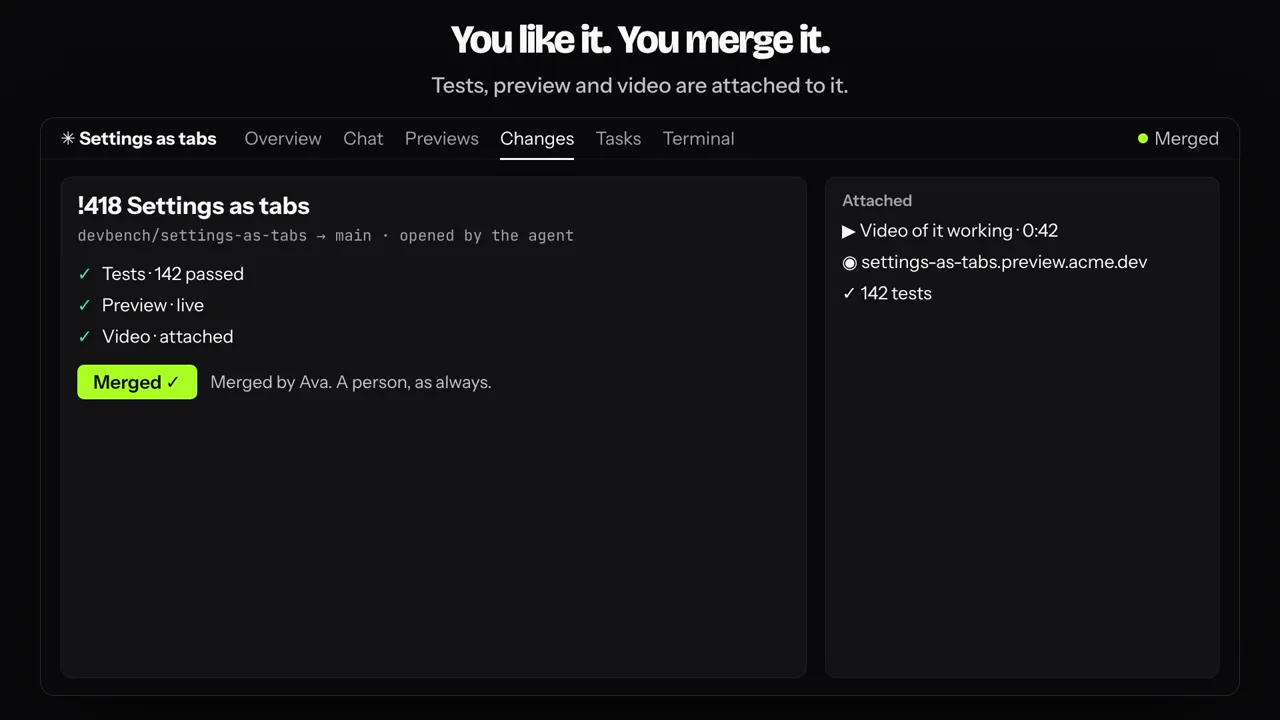
One idea from New workspace to merge, then hundreds like it. Ninety seconds; press Sound on to hear it.
You have an idea: Ava names a workspace, Settings as tabs, says what she wants and picks three repositories. It gets a sandbox of its own: its own container and branch, the three repositories in it. An agent reads it and comes back with a plan: the screens, how the web app, the API, the database and the worker fit together, and the steps; nothing is built yet. Ava opens the plan, then approves in the chat. You approve, it builds: tabs in the web app, endpoints in the API, and the tests, which pass. It runs, live, before anything is merged: a seeded database, the API, the web app and the worker, at one URL; Ava clicks through Profile, Security and Billing. You like it, you merge it: only a person can press Merge, and she does. Every idea gets a sandbox like this, isolated from the others and from main: the window shrinks into its box and the camera pulls back to ninety boxes. Hundreds of agents, thousands of experiments, all at once, on your own servers. Only what you merge ships: everything else is dropped, and main never sees it. The merged boxes drop onto a bench as the blocks of the DevBench mark: devbench.sh. Try it in a preview. Merge what you keep. Music and interface sounds play under it.
Writing code stopped being the hard part. Coordinating it didn't.
When agents do the building, a team's work is directing, reviewing and deciding. DevBench is where that happens: the session you direct, the box the agent works in, the preview and the video you review, and the merge button only a person can press. An agent does the work; a person stays in charge.
It runs on a host you control and deploys to the cloud you already have. It says agent, never a model: which one answers is one setting in your organization.
Direct, don't type
One agent session per workspace, the whole team in it. Say @agent from the web, the desktop app or your phone, and the same session answers. Terminal and Conversation are two views of one thing.
Prototype in a preview
Every workspace runs in its own container and comes up as a live preview at its own URL, with a seeded throwaway database, a test run and a recorded video. Two ideas? Two workspaces, side by side.
Keep it or drop it
Like what you see? A person presses Merge; it is human-only for every caller. Don't? Delete the workspace and its box and preview go with it. The agent's git refuses your protected branches, so main never saw it.
Thirty seconds on why.
Agents write the code now. What they need is somewhere to be directed, checked and merged by a person.
Thirty seconds on why DevBench exists, with sound.
Agents write the code now: code streams into windows. Coordinating it is the mess: questions pile up (which branch, did the tests run, who merged that). One session, the whole team in it: a person asks the agent for a rate limit in the workspace chat, the agent answers, and four checks land: tests, a preview, a video and a merge request. What you get: a live preview for every branch, a video of it working, and a merge that stays human. A person presses Merge. The DevBench mark builds, with the line Try it in a preview. Merge what you keep.
The real thing, recorded.
DevBench, filmed against a live server: the workspace that built this site. Nothing here is drawn.
A workspace's overview: the finish line the agent works to, the plan, the repository.
The overview of a real DevBench workspace. At the top is its finish line, the condition the agent keeps working to until it is true, then the requirements and the repository with its branch. The pointer moves to the Tasks tab, which opens the workspace's board.
One task, from a sentence to production.
Click through it yourself.
The app's screens, clickable, with a workspace mid-flight: the task the agent left notes on, the test run, the video and the merge request.
upload-rate-limit
runningIn progressWorkingMJ- Agenttodo → in progressSep 12, 09:41
Reading the upload view and settings. Adding a per-user token bucket in
throttle.py. - AgentSep 12, 09:45
Tests:
pytest backend/api -q, 42 passed in 3.1s. Preview is up on this branch. - AgentSep 12, 09:47
Recorded the change working.
UploadFilereport-q3.pdfFolder/reportsUpload Uploaded report-q3.pdfUploads this minute8 / 20Every user gets 20 uploads a minute. - Agentin progress → doneSep 12, 09:48
Opened
!184, project/upload-rate-limit → develop. Needs a person to merge. - mayaSep 12, 09:52
Watched it, clicked through the preview. Merging.
This is the app. Click a tab or a sidebar item.This is the app. Tap a tab.
An agent can do almost everything. Except one thing.
An agent writes the code, runs the tests, puts up a preview, records a video and opens the merge request. Then its cursor reaches the Merge button and is refused: merging is for a person. A diagram shows the two refusals: the agent can push its own branch, but a push to main is stopped by the box's git, and a push that gets past it is refused again by the server. Every commit is authored as the person who asked, co-authored by DevBench, and merged by a person. An agent does the work; a person stays in charge.
An agent can do almost everything.
It writes, tests, previews, records and opens the merge request. It never merges.
The agent's git refuses it.
Inside the box, a push to a protected branch is refused before it leaves.
The server refuses it again.
A push that gets past the box is refused by DevBench as it passes through.
Merge is a person's button.
For every caller, on every client. An agent can open the merge request; it cannot merge it.
The rest, in detail.
Everything on this page, one level down. Pick a place to start.
Product
The shared session and its chat, what a workspace is, what the agent has in its box, the board, tasks with a note timeline, recorded demos, the diff, the merge request, docs and files.
Explore productPlatform
Agents, schedules with continuity, watchers, tools, releases, inbox, team, settings, backups, usage and API keys. The same account on web, desktop, mobile and the CLI.
Explore platformSecurity
Six promises and the code path that holds each one: commit authorship, protected branches, info-only workspaces, who sees what, secrets, and what an agent may do.
Explore securityHosting
What runs on your host, previews and environments, the update script for your own machine, AWS with a preflight, Hetzner, DigitalOcean, Vultr, and Apps with their recipes.
Explore hosting
Invite only
We set your organization up with you.
Tell us about your team and the repositories you would bring; we reply within a working day.